Before, I gave you a detailed analysis of the design method and personal opinions of the personal illustration component library. Today, I will take you to comprehensively analyze the establishment and application of brand illustration component library.
preface
The design system is created to achieve unity of order. NASA introduced the first design system in 1976. Now, almost all large products (such as Uber, pinterest, airbnb, etc.) are building and optimizing the design system. As a branch of the design system, illustration system is an integral summary of product illustrations. Its essence is a collection of "document specifications" and "design assets". It is used to provide certain principles, methods, standards and materials to help designers systematically and high-quality complete design output, improve design efficiency and liberate designers from repeated work. In recent years, a large number of domestic brands have also begun to use illustration system, but we rarely see the detailed process and methods of illustration system construction. Today, I will focus on how to systematically create illustration component library from the methodological level. (if you want to see the partial production process, you can look at another illustration component library article I published earlier)

Prerequisite for creating illustration component library
Before creating the illustration component library, we need to ask ourselves two questions. First, why do we have to create an illustration component library? Second, what substantive feedback can we get from the illustration component library?
1. Why do we have to create illustration component library?
There must be a reason for us to do anything. The same is true for creating an illustration component library. We must know what problems it can solve for our products and teams before we decide whether to create it. Generally speaking, creating illustration component library can solve three major problems of products: inconsistent illustration style, lack of visual differentiation, and low reuse rate of illustration output.
Inconsistent illustration style
Many companies do not have a specific specification for the use of illustration. When designing illustration, they are arbitrary, so that the style is very messy. Maybe you see one style at end C and another style at end B, and even two completely different illustration styles appear under the same interface.
The inconsistent illustration style will lead to poor visual sensory experience, weak brand sense, reduced texture and difficult to spread. Creating an illustration system can not only enhance the visual appeal, but also shape the user's cognition of the brand, strengthen the user's memory of the product and improve the user's stickiness to the product.

Lack of visual differentiation
Now the homogenization of products on the market is too serious. The systematic illustration style can be differentiated and unique under the homogenization of the Red Sea market, impress users with emotional design, and increase users' dependence and recognition on their own products.

Low reuse rate of illustration output
If the product uses illustration at high frequency, the process of 0 to 1 is required for each draft, and each output needs to be reviewed again, which seriously affects the output efficiency. The illustration component library has the characteristics of rapid construction and rapid iteration, and has the high reusability of component, which can double our output efficiency and keep the output results consistent.

2. What substantive feedback can we get from the illustration component library?
The feedback result is not visual presentation, but data presentation. The establishment of illustration component library requires a lot of labor cost and time cost. If you only say what problems the product has, rather than what substantive benefits it will bring to the product by solving these problems, what will the enterprise let you do boldly? (intangible benefits need to be transformed into visible tangible benefits of the enterprise)
We can call this "return on investment". The return on investment is usually measured in money: how much equivalent income can be recovered for each Yuan spent? However, the income from investment is not necessarily calculated in strict monetary terms. For example, in our case, we can find a measurement method to calculate how much money (cost) is converted into the value of the enterprise.
In fact, there are many measurement methods. How to measure depends on your brand strategic objectives and product status. Here I provide two common measurement methods for your reference: work efficiency and labor cost.
work efficiency
Work efficiency is actually the ratio between the income after work and the investment in work. When the income is greater than the investment, it means that the work efficiency is high. When the income is less than the investment, it means that the work efficiency is low.
Therefore, you can state that the current work efficiency is not ideal, and explain the direct reasons that affect your (or the design team's) work efficiency. For example, you spend a lot of time in operation design, and most of the time in operation design is spent on illustration and design, with an average of 2-3 hours per day and 6 hours, There is little time left to really consider the design itself.
After that, you can express that you can solve this problem through the illustration component library. For example, through the establishment of illustration component library, it used to take 6 hours a day to do operation design, but now it only takes 1 hour, and the team can reuse it, which greatly improves the work efficiency of the team. The longer it is used, the greater the value it reflects, and this system can be established in other projects of the company. (of course, the premise is that the benefits you said should be consistent with the results you made. If the component library you made can not be used, or it is very troublesome to use, and can not achieve the expected effect you described, then your illustration component library will fail and waste the company's resources.)

Labor cost
Labor cost refers to the sum of all direct and indirect expenses paid by an enterprise for the use of workers in the production, operation and provision of labor services in a certain period of time.
If the designers of the enterprise are overloaded and can only meet the current design needs by recruiting new designers (or recruiting part-time designers), then you can put forward solutions to the enterprise. You can solve the current design needs by optimizing the design and production process (illustration Component Library). It would have required an additional labor cost of 30000 per month, Now, the investment of 30000 labor costs can be saved only through internal process optimization.

Special note: if you need to design illustration component library, you must consider the production cost. If your production cost is high (time cost, labor cost), your utilization rate is low, and you can not bring too much substantive help to the product (short-term and long-term), it is not recommended that you create illustration component library. Commercial design does not meet the personal desire of designers.
How to create a brand illustration system
The idea of creating a brand illustration system is completely different from that of creating a personal illustration system (if you are interested in creating a personal illustration system, you can go to my previous article). Although each brand has some different opinions and ideas on the creation process of illustration system, we can generally divide it into three steps: derivation of illustration style, formulation of illustration specification and composition principle of illustration system.

1. Illustration style derivation
The design style of illustration reflects the tonality of the product and also determines the efficient adaptability and ductility of character components. Therefore, we must be rigorous in the derivation of illustration style. If there is no basis for the derivation content, the illustration system you designed can not bring any value to the product no matter how beautiful it is. We can deduce the illustration style from three dimensions: user dimension (1h3w analysis method), brand dimension (conveying brand image) and design dimension (illustration fashion trend).
1h3w analysis method (user latitude)
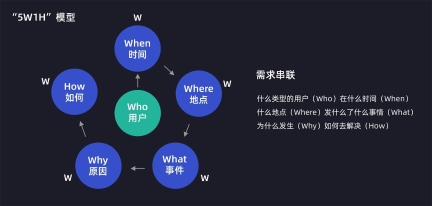
Any product is inseparable from users, so understanding the user population is the primary goal we must solve. If the enterprise's product documents have relatively complete research results, they can be used directly, which will save a lot of research time in the early stage; If not, the classic 1h3w analysis method can be used to solve the problem: User Research (how), user portrait (who), user demand (what), and user scenario (where). After the survey is completed, we should refine the content of the emotional version according to the survey results.

Convey brand image (brand latitude)
Conveying the brand image is one of the most common strategic objectives of a product. There are many ways to convey the brand image (such as the tone used by the product or the interactive design of website functions), but for illustration, one of the main tools used to convey the brand image is visual design, Therefore, when designing the illustration system, we can extract the visual elements from the brand elements for illustration design.

Illustration fashion trend (design latitude)
In order to avoid making things behind closed doors, we need to sort out the illustrations that meet the design fashion trend at the emergence stage and make a lot of analysis. Moreover, if the direct competitor has used the illustration system, we must compare and study it, summarize its advantages and disadvantages, and avoid homogenizing the illustration style.

Style determination: through the above analysis of different dimensions, we need to finally summarize and refine the component illustration style that meets the universality preference of the research group. (the following figure is a hypothetical case)

2. Formulate illustration specifications
After determining the illustration style, our second step is to formulate the illustration specification. In order to improve the ease of use of illustration, I personally do not recommend that the specification be too dead and too fine. The finer the specification is, the weaker the ductility of illustration will be. The expression form of illustration will appear very stiff, which is not conducive to the later iteration of illustration. At the level of design illustration specification, I suggest that it is enough to be divided into four parts: color, character, texture and light source.
Color specification
The color specification of the illustration system needs to be set according to the color specification of the brand. If your brand has a very standardized color system, it can be directly used in the color specification of the illustration system; If the brand's color system is single, its color can be derived and added. (the derivation and addition of colors need to be debugged according to brand positioning, color character and illustration style derivation as a reference)

character
As the core performance of illustration system, we must standardize the structure, proportion and size of characters in detail. The structure of the character needs to be accurate to the smallest unit of the element (head, upper body, upper arm, forearm, palm, hip, thigh, calf, sole).

It should be emphasized here that the body composition of men and women can be shared in different design styles. The differences between men and women can be clearly distinguished only by modifying the hair style of the head and the style of clothes. Many illustration systems now use this method, as shown in the following examples:

- Character dynamic preset:
In the face of rich use scenarios, in order to facilitate designers to flexibly edit and expand, draw multi perspective character dynamics, preset common character dynamics, improve the utilization of characters in each business scenario and save designers more drawing time.

texture
In the illustration system, we can use three ways to reflect the texture: linearity, geometry and noise. These three do not conflict and can exist at the same time. In illustration, we mainly standardize the use conditions and main functions of texture. For example, linearity can only exist at the junction edge of elements, which is mainly used to emphasize contour and light source; Geometry can only exist inside the element to highlight the details of the character; Noise can only exist in projection and is mainly used to emphasize light and shadow.

- Noise texture:
Noise texture is very special, so I'll mention it alone. The recommended software for making illustration system is sketch and figma, because they can directly modularize graphics in the software.
However, if your team wants to move the illustration system online, the situation is different. I recommend you to use AI, because we don't need to use software to component it. Compared with the above two software, AI is more convenient to make vector graphics. The key point is that it can support vector noise and make your illustration have more ways to reflect. (I've shared how AI does noise illustration and AI noise brush before. If you don't know much about this, you can turn to my previous articles.) the following website uses the noise illustration component, which can provide you with some ideas. I'll talk about this website in detail in the fourth section of the article.

light source
Most illustration systems involve light sources. If there are light sources, we must ensure the unity of light sources in the picture, and we can also set common default light sources for them.

3. Composition principle of illustration system
In order to understand the composition principles of illustration system more easily, I use atomic design theory as the core support of this set of principles. Atomic design provides a clear method for making illustration system. The design team can better understand the concept of illustration system through the actual design process and steps. Atomic design theory can be divided into five stages: atom, molecule, organization, template and scene.

atom
Atom is the smallest unit of all elements in the illustration system. It includes eyes, nose, palm, hips, color, texture, etc. they can not be subdivided again in the illustration system, and can not be used alone. Some of them have the function of replacement. (for example, eyes and mouth can be replaced; palm, thigh and other structural tissues cannot be replaced)

molecule
Molecules are made up of atoms. These molecules constitute different parts of the character structure. Generally speaking, they can be divided into three parts: head, upper body and lower body. They are the main replacement components in the illustration system and cannot be used alone.

organization
Tissue is composed of molecules (atoms). Tissue is different from atoms and molecules. It can be used independently and has the function of replacing atoms and molecules. Components play an important role in liberating designers' productivity. We can classify the common organizations in illustration: characters, general elements and background.

Template
The language of atom, molecule and organization helps us consciously construct the components of illustration system. However, in the end, we must adopt a language more suitable for describing our final output, so as to report to the boss, customers and colleagues. The template is the best embodiment. We need to design different templates in different application scenarios.

scene
The scene is a specific example of the template. The final visual scheme is formed by optimizing and perfecting it on the basis of the template, which is often referred to as the visual draft. The "Scene" is the basis and embodiment of the development and landing.

How to create a brand illustration component library
The premise of creating a brand illustration component library is to establish an illustration system first. Here I will explain how to create a brand illustration component library from two parts: application software and component level.
1. Application software
The choice of software does not involve online systems: I recommend using sketch or figma. The main reason is that they can directly create controls (components). If there are few team members, it is recommended to use sketch and more team members, then use figma. The second choice is AI. When I first made the component library, I used AI modeling (including all replaceable small components), and then dragged it to sketch for re editing. However, the process is cumbersome, because there will be some software conflicts in dragging it into sketch. Each widget needs to be redefined and combined by itself, otherwise the layer is very chaotic and not easy to modify, It's a waste of time, and there will be many small bugs in the software.
If the online system is involved: AI is preferred without software conflict. Vector graphics can be produced faster and vector noise can be used. The second choice is sketch and figma.

2. Component level
The hierarchy of brand illustration component library can be supported by atomic design theory (which is different from personal illustration Component Library). Let's take a look at the component level classification I personally suggest.

3. Production process
Step 1: design illustration and make replacement controls in a top-down manner. First design the illustration subject (Organization: people, general, background, others), then subdivide the second level of the subject to create controls (molecules: head, upper body, lower body), and finally subdivide the smallest elements to create controls (atoms: hair style, expression, general style, etc.). After determining the hierarchy, we add its components to the inside of the control.
Step 2: design the template from bottom to top. First, we standardize the template content and specifications, and then drag the required component elements into the template.
Step 3: continuously add the content of illustration system. Illustration component library does not remain unchanged after it is established. On the contrary, we should constantly add and enrich its component content and apply it to different design scenarios.

4. Software knowledge (sketch)
In the area of software knowledge, I would like to emphasize two precautions when creating controls in Sketch: naming convention and color replacement.
Naming conventions
Adopt the naming method of atomic theory: classification / module / organization / molecule / atom, for example: Banner / banner at the top of home page / male / head / hairstyle. Here, the slash "/" is used to distinguish the parent-child relationship according to the logical relationship of mind map, and also includes software nesting relationship.

Color substitution
In the component library, I list the color as a special entity. Its main purpose is to replace the color of a single element. Its use is different from that of other controls. It uses a control set control.
Operation method: we first create controls for all colors that need to be used and give them hierarchical classification (hierarchical classification allows you to control the color selection range of elements). On the elements that need color change, we can put the color controls into the elements with a cut mask.
Advantages: it only needs to debug the overall components of color once, which can be applied to various elements, and can also control the selection range of color, which is simple and convenient to operate.

5. Display of component library effect
In order to facilitate your understanding and research, I have made a very simple component library effect display with the structure of characters. All levels in it are divided according to what I said above, and the source files are also provided for your reference. On the left is the hierarchical display and on the right is the replacement content.

Learning resources of illustration component library
The reason why I took the learning resources as a large plate to tell you this time is very simple, because the previously published article on personal illustration component library mainly took the system case I did to explain. After the article was issued, many friends privately asked me various questions, mainly involving the structure of illustration component library, In fact, I personally don't think it is necessary to copy according to my structure. A large part of the structure of illustration comes according to different needs, and many people get into a dead end.
Therefore, this article on the brand illustration component library mainly focuses on methodology and does not substitute systematic cases. It is better to teach people to fish than to teach people to fish. As long as the method is understood, other problems can be solved. The front of the article mainly talks about methodology, and the last part of the article (learning resources) focuses on letting you take methodology to see how others do component libraries, so as to give you more thinking space.
Before, I have intermittently shared many learning resources of the component library. Today, let's make a sum up and share the learning resources of the most exquisite illustration component library. The learning resources include websites, plug-ins, reference files and source files.
1. Illustration component library learning website
In fact, there are many learning websites of illustration component library, and the reference points for learning are also different. I don't provide material download websites here. I mainly recommend two component library websites with the most reference experience value. If you want to learn illustration component library, you must experience it.
Website: sapiens.com ui8. net
The website mentioned in the article is also the most worth seeing. The component hierarchy of the website is different from that of the brand illustration component library we talked about today, but it is similar to that of the personal illustration component library I shared earlier.
It can be used for style replacement (3 kinds: color noise, two tone and draft), action replacement (4 kinds: walking, running, normal and cycling), gender replacement (men and women), character replacement (head, upper body and lower body), and background replacement (only overall replacement is supported).
Here you can think more about, for example, why there are three styles in its components. If you do the brand illustration component library, will you involve multi style, and if so, how to apply it to different application scenarios. (for example: color noise for general application scenarios; two tone for default pages)
This website can provide you with a great reference when building a brand component library. I suggest you study its detailed components.

Website: Disney plus disney. co.jp/program/soulfulworld/mysoul. html
This is a website that I shared just after watching soul. People who have seen this film will be attracted by its painting style, especially those lovely little souls. This website provides us with the face pinching function of small souls and tailor-made their own small souls for you.
The replaceable parts are: face shape, hair style, eyes, eyebrows, mouth, body and personal belongings. It can provide you with a great reference on the head component of the character. (by the way, the chicken face pinching is also very popular recently. When I first played this website, the chicken face pinching has not been launched yet. It seems that everyone likes it very much ~)

2. Resource plug-in
I have used many component library plug-ins myself, such as humaaans illustration component library, Ali's rabbit illustration component library, and some other niche illustration component libraries. Compared with these independent illustration component libraries, I recommend a collective illustration component library plug-in: the flush component library plug-in.
This plug-in contains many styles and can automatically generate all kinds of illustration forms you need (it also includes humaaans illustration Component Library). The key point is that these illustrations can be used for free, and sketch and figma can be installed.
We can see that there are really many illustration styles inside the plug-in, and the component structure of each model is very different, which is of great reference value. (of course, it also has use value)

After opening, we can replace any character component, background component, pinch face, etc. because there are too many replacement functions, we won't introduce them here. This plug-in is the best component library plug-in I have ever contacted. If you want to learn illustration component library, you must download this plug-in to use.

3. Resource document integration
The material contains three parts: reference pictures, reference videos and reference case source files.
There are many small knowledge in the reference pictures. I have systematically classified them for you; Reference videos are mainly promotional videos of component library and some flat animations; Source files are mainly component source files and cases in my article.

Welcome to WeChat official account: "black lion power".